
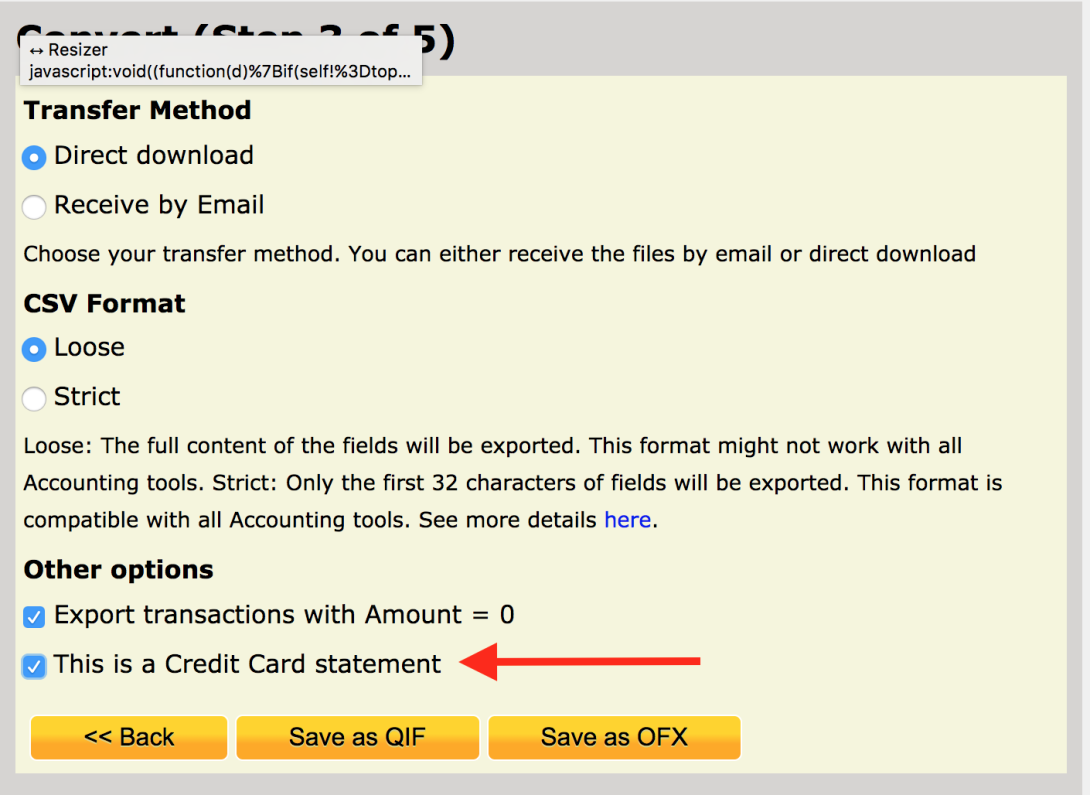
New Feature: Checkbox for Credit Card statements

Image
Credit card CSV file example

CSV Converter has a new option that can be used when converting Credit Card statements.

The difference between Credit Card and Banking statements is that Credit and Debit are inverted.


Comments

Frederick Keller Fri, 2 Sep 2016 - 17:08

how do i get this to work credit card checkbox

CSV Converter Fri, 9 Sep 2016 - 23:57

In reply to by Frederick Keller

When you are converting Credit card transactions, as soon as you get to this screen, tick the relevant box.

peregrins2 Sat, 22 Oct 2022 - 01:17

The file, even when I check 'this is a credit card' is still identified as a ACCTTYPE of Checking and TRNAMT's are not reversed, as they should be.

Claire Goldsmith Fri, 3 Mar 2023 - 22:59

I tried to use this feature for importing csv to quicken. Hope it works